Structuring your data
For the Event Archiving API, we consider an Event to be any action performed in your source platforms.
Within archived social media and collaboration/project management platform messages, Events are grouped into:
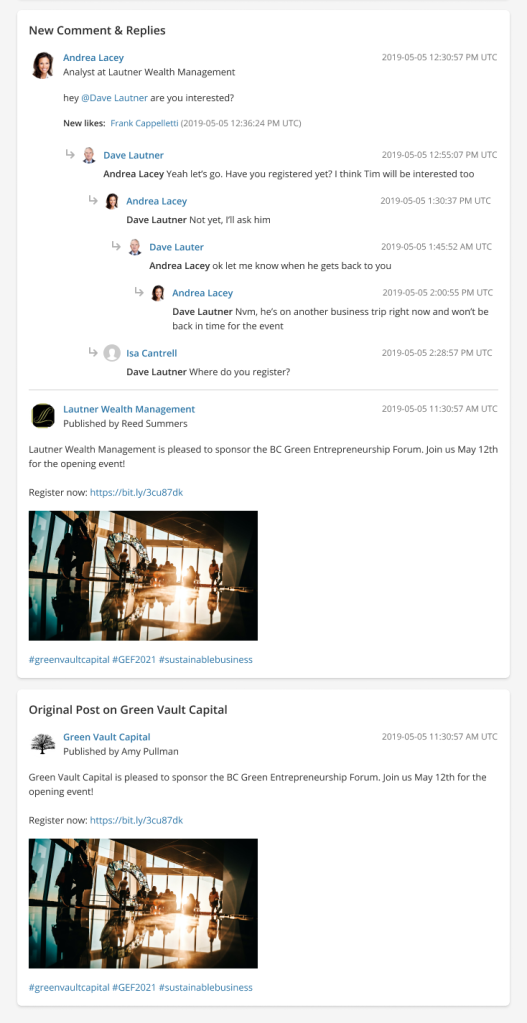
- Cards: Display as blocks of content, which can include comments, replies, reactions, etc. between multiple users.
- Sections: Display within Cards to logically separate content, e.g. separating the comments of different users, with horizontal lines.
By displaying Events in Cards and Sections, archived social media and collaboration/project management messages are structured to mimic how the data appeared in the source platform, helping users scan the content.
In the following example:
- The first Card, titled New Comment & Replies, includes many Events grouped into two different Sections.
- The second Card, titled Original Post on Green Vault Capital, contains a single Event in a single Section.
Grouping messages by conversation
The data you send in each API request is archived as a single message. To connect data from separate API requests, you must specify the same overview.threadId value in each request.
In the Archive, users can then use the Group by conversation functionality to view all messages in the conversation.
Determining API request frequency
Determine an API request frequency that suits your archiving needs.
For example, if a user creates a social media post, which is replied and reacted to several times over the next 3 hours, you could batch all the data into a single API request, so all the Events are archived as a single message.
Alternatively, you can send each Event, e.g. reaction, reply, etc., as it happens in a new API request, and then connect all of the Events using a single overview.threadId. Each Event would be archived as a separate message; however, they can be grouped in the Archive using the Group by conversation functionality.
Distinguishing between Event objects
There are two distinct Event objects in the API payload that you can view in the Archive:
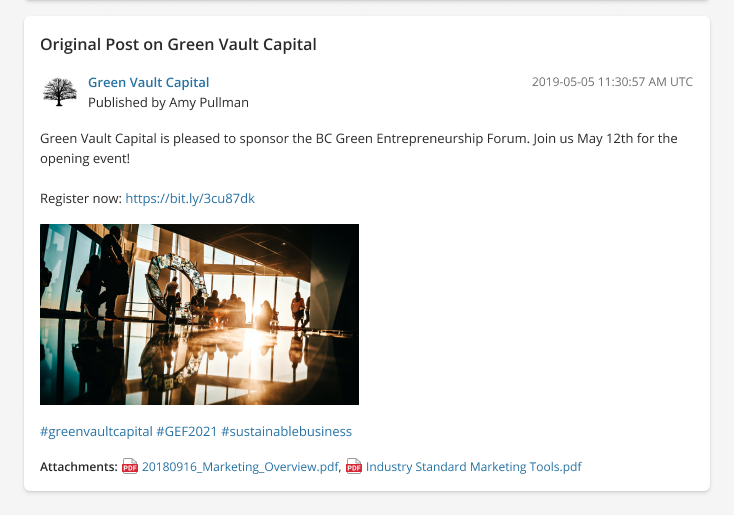
- events: A rich form of Event that can include information about the Event owner, text/media related to the Event, or additional metadata about the Event, e.g. a new social media post containing text and attachments.
- simpleEvents: A basic form of Event, e.g. reactions to an existing social media post, that consists of only the eventType, owner, and timestamp.
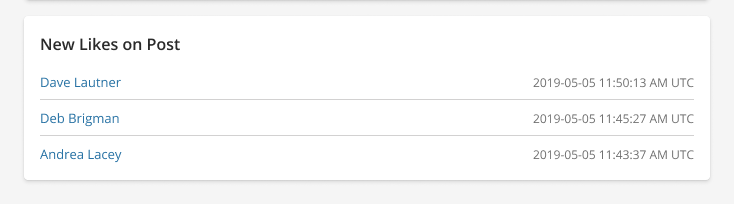
As a general rule, only use simpleEvents when no content was created.
Displaying collapsible Cards
To control how Cards display in the Archive, adjust the cards.collapsible and cards.collapsed properties in your API requests. By default, these properties are set to false, so if you don’t provide a value, the Cards are fully expanded in the Archive.
To collapse specific Cards, e.g. those with large volumes of data, set both values to true for each Card.
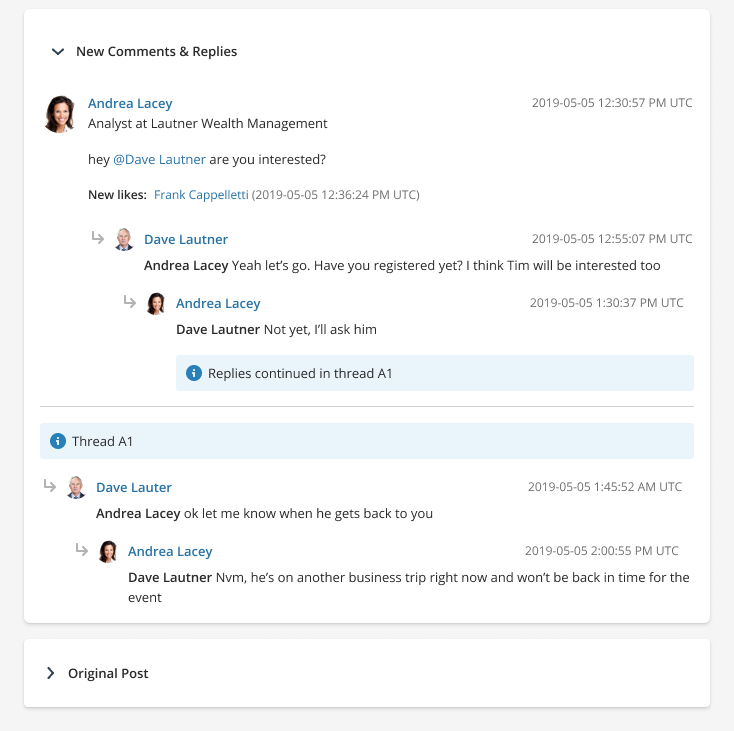
In this first example, the values are all set to true and the expandable content is collapsed until the user expands it.
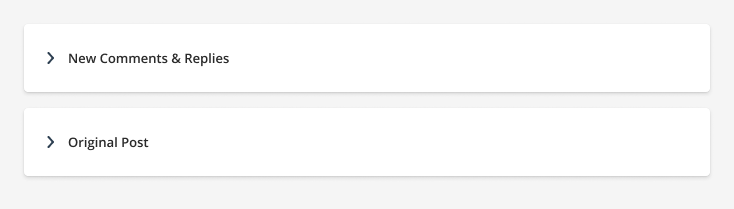
In this second example, for both Cards cards.collapsible is set to true, but only the second Card, titled Orginal Post has cards.collapsed set to “true“.